Private · on-device · Apple Watch first

The fastest route from thought to note.

Raise your wrist, talk, done. Minutehand records on your Apple Watch and turns it into clean text, summaries and action items — entirely on your iPhone. No cloud. No subscription. No compromises.

Works in airplane mode. Yes, really.
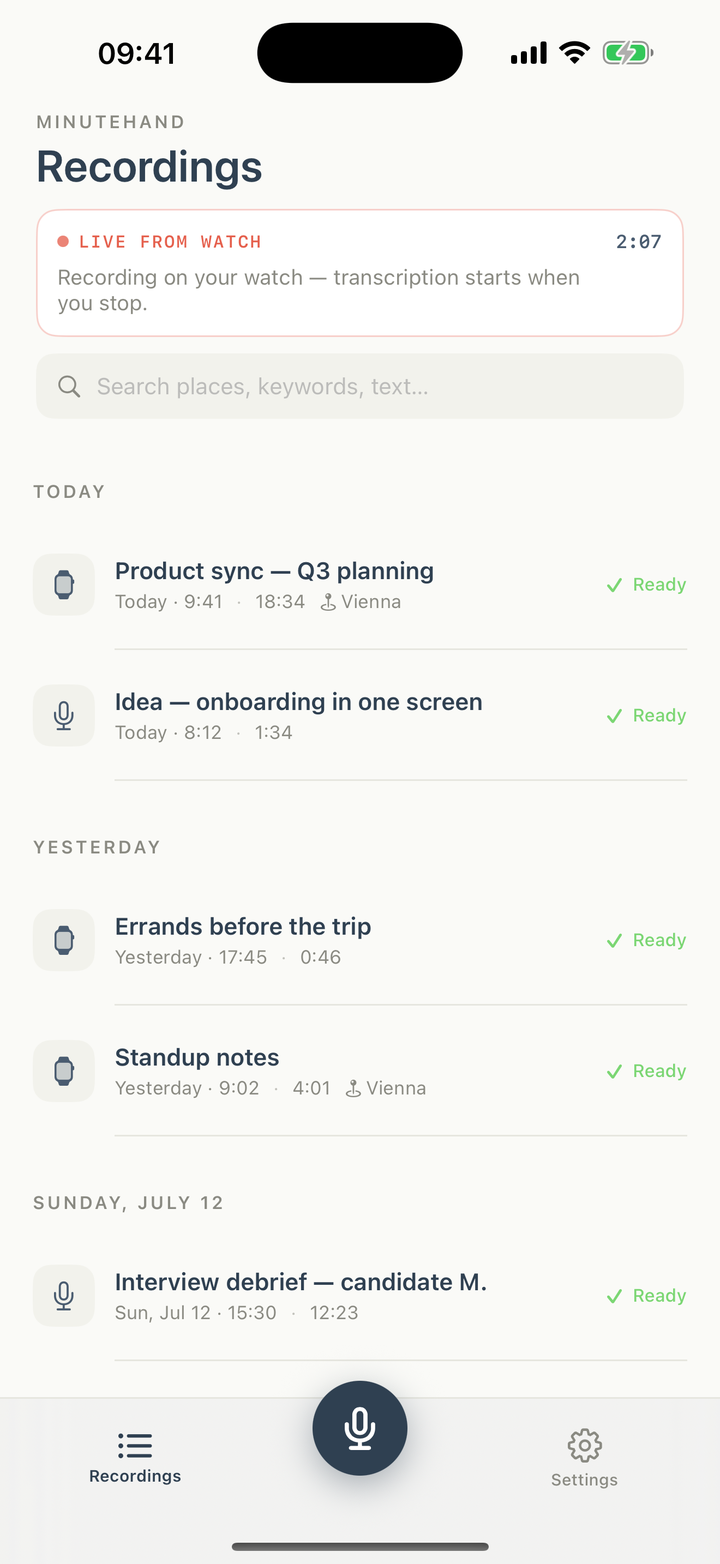
Minutehand on iPhone showing a live watch recording
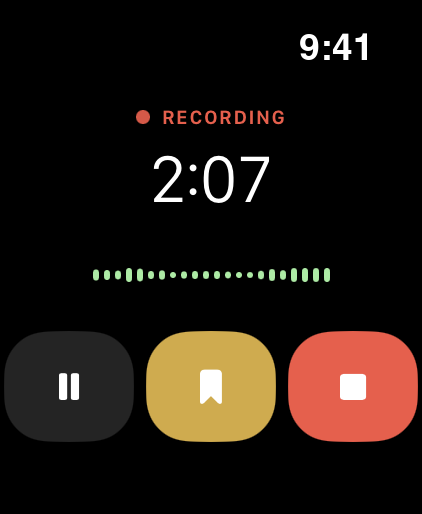
Minutehand recording on Apple Watch
Records on your wristTranscribes on your iPhoneSpeaker detectionAI summaries & action itemsMind mapsTime markersCustom vocabularyCalendar contextExport to your MacWorks offlineRecords on your wristTranscribes on your iPhoneSpeaker detectionAI summaries & action itemsMind mapsTime markersCustom vocabularyCalendar contextExport to your MacWorks offline
100%on-device processing
0servers touching your audio
2×pinch — Double Tap — drops a marker
90+languages via Whisper
Everything a meeting leaves behind

Talk once. Get everything.

One recording becomes a transcript, a summary, to-dos, decisions and a mind map — before you're back at your desk.

⌚️

Live from your watch

Start on the wrist with one tap. Your iPhone shows the running recording instantly and keeps receiving audio even with the watch screen off.

🗣️

Who said what, when

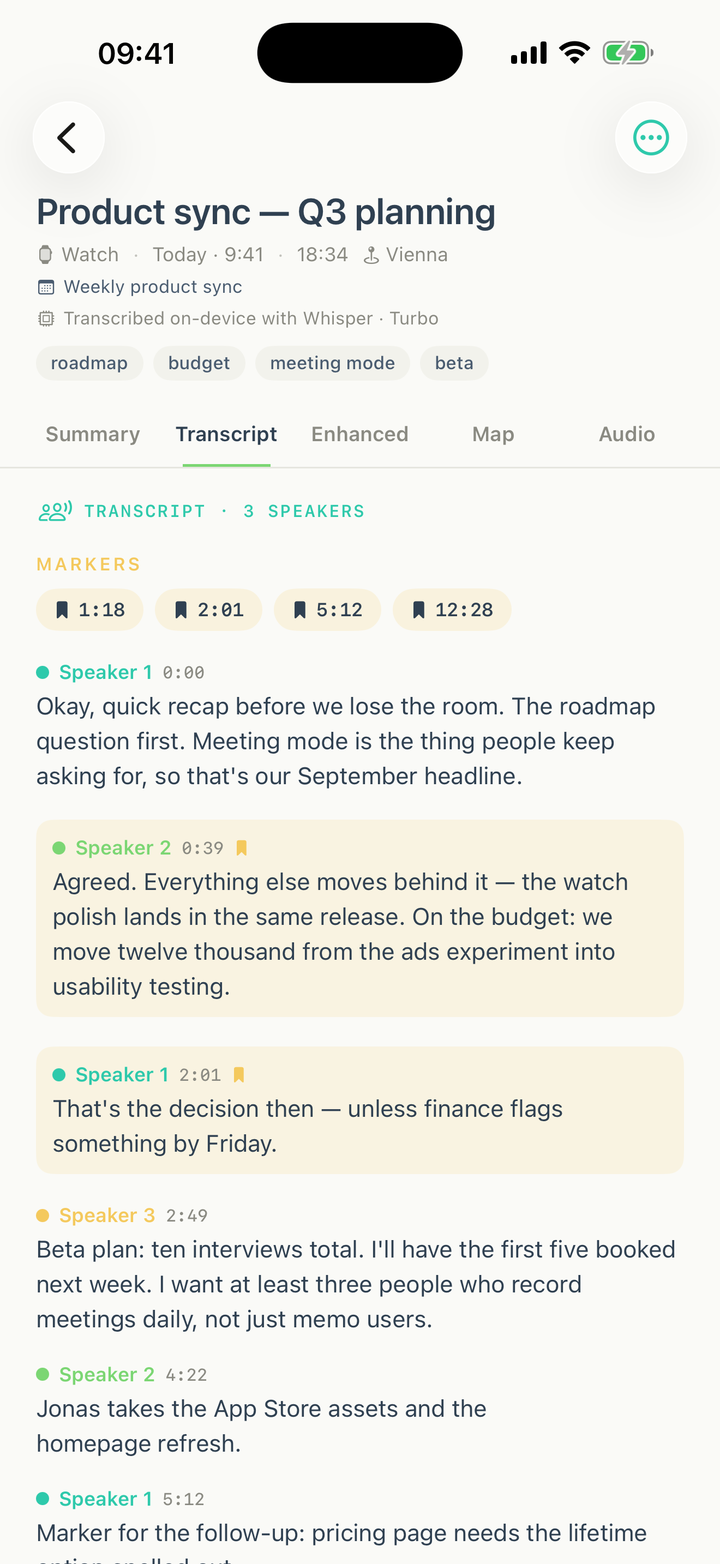
On-device speaker detection labels every turn. Timestamped passages jump straight into the audio.

🔖

Markers that matter

Pinch your fingers twice — Apple's hands-free Double Tap gesture — or tap the bookmark on the phone to pin the moment. Trigger words highlight passages automatically.

AI summary & actions

Lead, key points, action items with owners and due dates, decisions — extracted on your phone by Apple Intelligence.

🧠

Mind maps

Every memo becomes a visual map of topics and takeaways. Share it as Markdown.

📚

Custom vocabulary

Medical, legal, your product names — teach the transcriber your world and "Peroneussehne" comes out right.

Transcript

A transcript you can actually use.

Not a wall of text: speaker turns, timestamps, highlighted trigger words and your tapped markers — each one a button that jumps into the tape.

  • Speaker detection, fully on-device
  • Trigger-word highlights with jumpable chips
  • Apple Speech or Whisper — your choice, per recording
Whisper · TurboApple Speech90+ languages
Transcript with speakers, markers and highlights
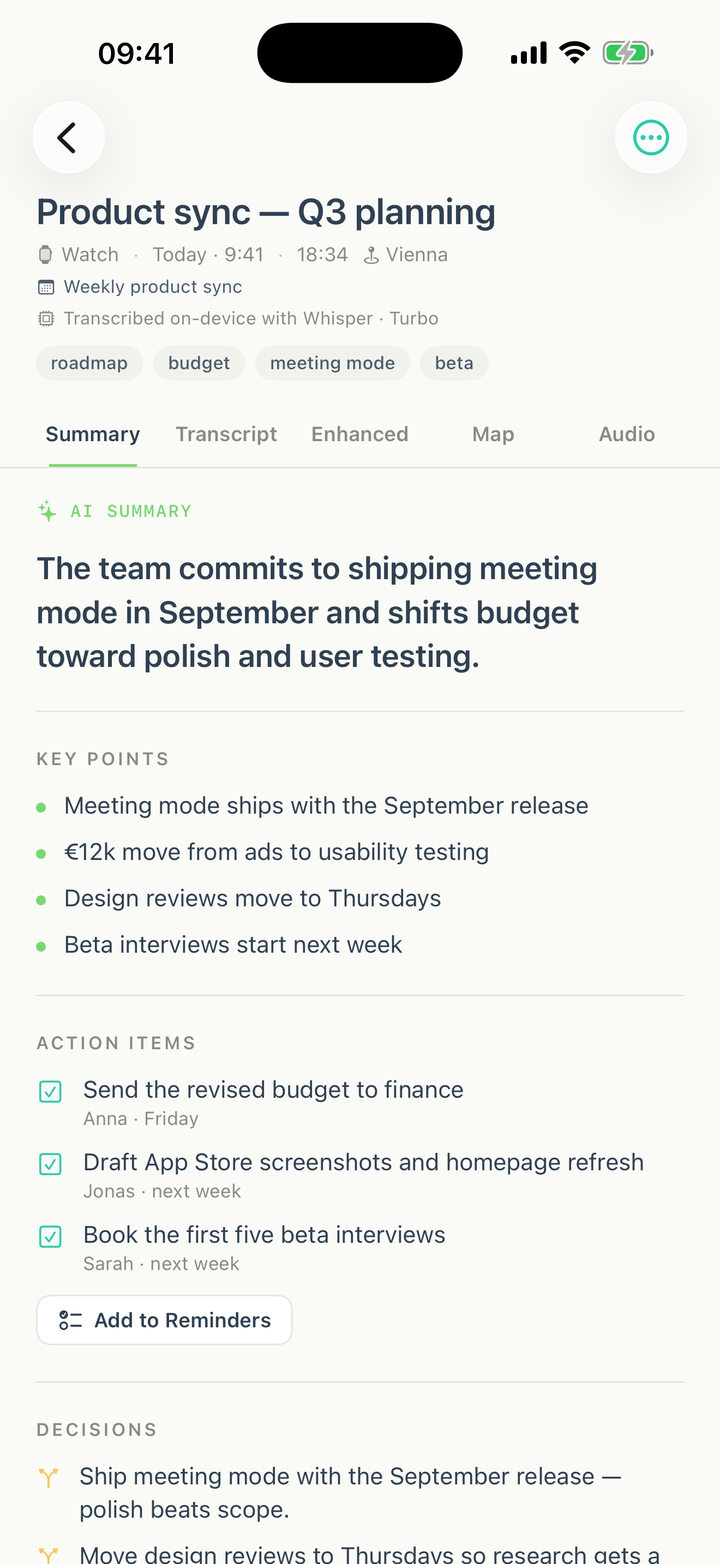
AI summary with action items and decisions
Summary

From talk to to-dos, automatically.

The meeting ends and the work is already sorted: a crisp lead, key points, action items with owners and due dates — one tap sends them to Apple Reminders.

  • Action items with owner & due date — one tap to Apple Reminders
  • Decision log per memo
  • Tagged with the calendar meeting you recorded it in
  • People & keywords, extracted for search
Mind map

See the whole conversation at a glance.

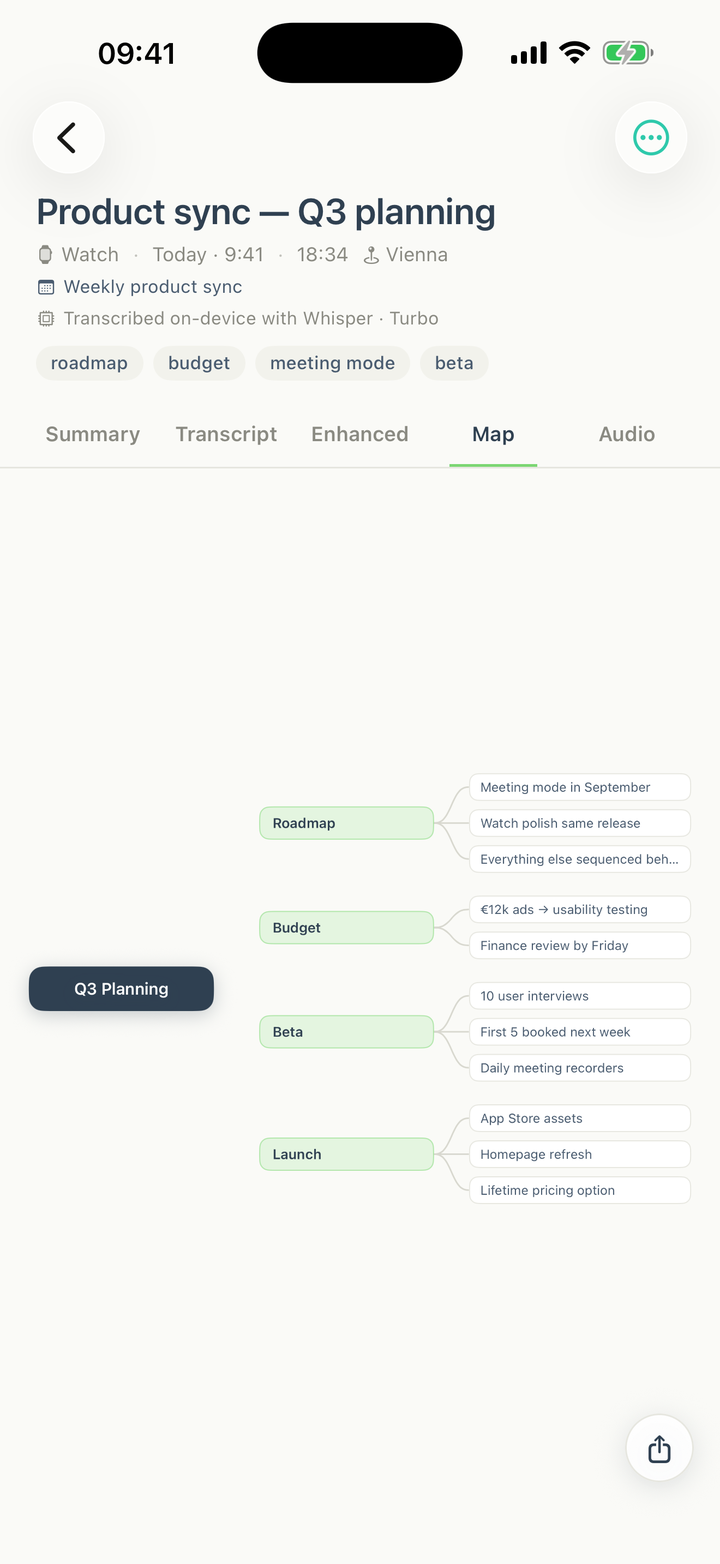
Apple Intelligence structures every memo into a mind map — topics, branches, takeaways. Perfect for the recap you owe your team.

  • Generated on-device, no prompt-fiddling
  • Fits your screen, zooms when you want detail
  • Exports as a clean Markdown outline
Mind map generated from a memo
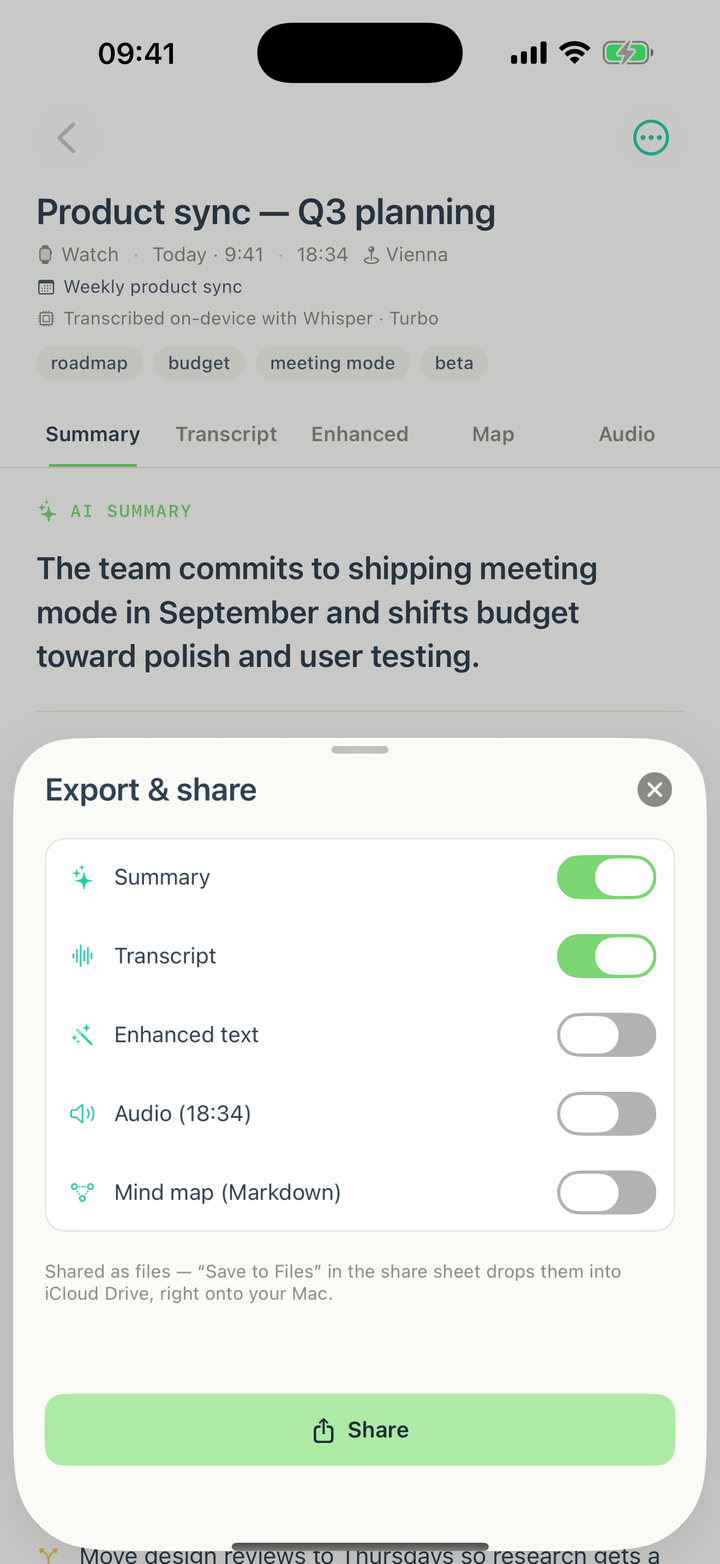
Export sheet with summary, transcript, audio and mind map
Export

Take it anywhere — straight to your Mac.

Pick what leaves the phone: summary, timestamped transcript, enhanced text, the audio itself, the mind map. Shared as files — "Save to Files" drops them into iCloud Drive, right onto your Mac.

  • Swipe any memo to share it
  • Markdown for texts, M4A for audio
  • You decide what leaves the device — always
How it works

Three steps. Zero friction.

Raise your wrist

One tap and the meeting is on tape. The Double Tap gesture — pinch twice, no screen touch — drops a marker any time, while the watch keeps recording in the background, screen off, up to an hour.

Your iPhone does the work

Audio streams over as you speak. When you stop, transcription, summary and mind map run entirely on the phone — even in airplane mode.

Share what matters

Action items to Reminders, files to your Mac, highlights to your team. Or keep it all to yourself — that's the default.

✈️
Private by default

Your voice. Your notes.
Nowhere else.

Most transcription apps upload your meetings to someone else's computer. Minutehand doesn't have a computer to upload to: there is no server, no account, no analytics on your content.

🔒 100% on-deviceWhisper and Apple Speech run on your iPhone's silicon. Flip on airplane mode and everything still works.
🇪🇺 No US AI cloudsZero third-party AI providers in the pipeline — Whisper and Apple Intelligence run locally on your iPhone. Nothing else is involved.
🗑️ Yours to deleteAudio and text live in your phone's storage. Delete a memo and it's gone — not "marked for deletion in 90 days".
Minutehand vs. AI recorders

You already carry the better recorder.

The new wave of AI gadgets wants you to buy another device, clip it on, keep it charged — and rent the AI on top. Your Apple Watch and iPhone do all of it, without the cloud.

MinutehandPlaud Note / NotePinPocket
Extra device to buy, carry & charge None — your Watch & iPhone $159–189 gadget, own battery $99–199 gadget, needs its charger
Ongoing costs One-time purchase, no subscription AI plans sold by transcription minutes $19.99/mo for full accuracy & features
Where your audio is processed 100% on your iPhone Vendor cloud for AI features Vendor cloud for AI features
Works fully offline Airplane mode included Records offline, AI needs their cloud Records offline, AI needs their cloud
Speaker detection Included, on-deviceCloud plan feature Pro subscription only
Start a recording One tap on the watch you're wearingFind it, press it, hope it's chargedFind it, press it, hope it's charged

Vendor pricing and plans as published on plaud.ai and heypocket.com, July 2026. Their lawyers are welcome to double-check — ours is a one-time purchase either way.

Pricing

One price. Once.

Your iPhone does the work, so there are no server costs to rent back to you — and no gadget to sell you. Everything included, forever.

Launch offer — €39 after

Minutehand

€29 once. Yours forever.
  • Record on Apple Watch & iPhone — everything included
  • Whisper Turbo & Apple Speech, 90+ languages
  • AI summaries, action items, decisions & mind maps
  • Speaker detection & custom vocabulary
  • Export to Files — straight onto your Mac
  • No account. No subscription. No expiry.
Join the beta — free while it lasts

Two years of meeting notes, all-in.

Device + plans required for AI transcription, summaries and speaker detection.

Minutehandon the watch you own
€39
Plaud$159 device + Pro plan
≈ $360
Pocket$99 device + $19.99/mo
≈ $580

Vendor pricing as published July 2026 (Pocket launch price, Plaud Pro plan ≈ $100/year). And after year two, their meters keep running — yours stays at €39.

Nothing new to chargeYour watch is already on your wrist and your phone in your pocket. No second battery, no dock on your desk, no dead gadget in a meeting.
Nothing to forgetA dedicated recorder is one more thing to pack, clip on and lose. The best recorder is the one you're already wearing.
No meter runningSubscriptions rent you access to your own words. Minutehand is bought once — your notes never stop working because a payment did.
FAQ

Fair questions.

Does my audio really never leave my phone?

Correct. Recording, transcription, summaries, speaker detection and mind maps all run locally — the app works with networking disabled. The only things that ever leave the device are the exports you explicitly share.

Do I need an Apple Watch?

No — the iPhone records beautifully on its own, with live transcription while you speak. The watch is the superpower for meetings: start from the wrist, drop markers hands-free with the Double Tap gesture, keep your phone in your pocket.

How good is the transcription?

You choose the engine per use case: Apple Speech for speed and battery, Whisper (up to the large-v3-turbo model) for accuracy and 90+ languages. A custom vocabulary teaches it your domain terms — names, medical or legal jargon, product names.

What happens in long meetings?

The watch records for up to an hour with the screen off, streaming audio to your iPhone as you go. Recordings beyond 25 minutes are processed in seamless windows — no cuts, no seams in the transcript.

Which devices do I need?

An iPhone on a recent iOS for the full AI pipeline (Apple Intelligence powers summaries and mind maps where available, with graceful fallbacks). The hands-free Double Tap gesture works on Apple Watch Series 9, Ultra 2 and later.

Why no subscription?

Because there are no server costs to pass on — your phone does the work. A one-time price is the honest model for on-device software.

Stop taking notes.
Start having said it.

Minutehand — the fastest route from thought to note. Private by default.

Join the beta